Valutazione del rischio di accesso SAP/GRC di Soterion

Ottieni visibilità immediata sul tuo livello di esposizione

.


Soterion Logo

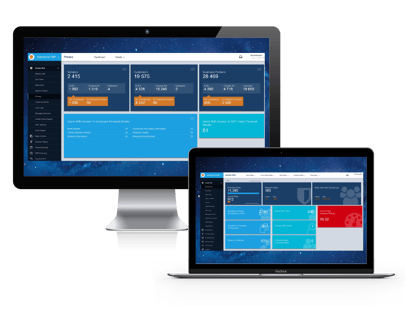
La tua sfida principale, come quella di molte aziende, è prevenire le frodi, le violazioni dei dati e le mancate revisioni. Ma trovare la soluzione GRC adatta alle tue esigenze specifiche non è facile. Ecco perché ti consigliamo di richiedere una valutazione gratuita e senza impegni di Access Risk Assessment da parte del nostro team di esperti. Evidenzieremo i rischi di Segregation of Duties (SoD) e di transazioni critiche nascosti nel tuo sistema SAP e verificheremo l'allineamento dell'accesso degli utenti con i loro requisiti.

Facile, senza impegno e senza costi. Ottieni una panoramica dei rischi di accesso in SAP.

Play video
Welcome to an overview of Soterion's SAP Access Risk Assessment process. Soterion offers select organizations running SAP the opportunity to perform an SAP Access Risk Assessment on their data. In this video, we will explain the process at a high level and discuss the benefits of performing this assessment. Here's what we'll cover: How much effort is required from you or your team's side? What data is used from SAP for this Access Risk Assessment? How is this data extracted? The Process: What are the benefits to my organization? What happens to our data after the assessment? How secure is our data? And lastly, connecting to your Soterion hosted database. How much effort is required from you or your team's side? Your effort involves a few straightforward tasks. Downloading the Data Extractor from our website will take approximately five minutes. Installing the Soterion Data Extractor on a desktop or laptop will take roughly five minutes. Initiating the download from SAP will take ten minutes. The extraction may take up to sixty minutes to run, but it will run-in the background. And lastly, uploading the files to Soterion's data center in your geographic region will take approximately five minutes. What data is used from SAP for this access risk assessment? Soterion extracts SAP authorization related tables such as USR02 and AGR_Define. We also download user transaction logs to determine whether any remediation or role cleanup opportunities exist. A full list of tables downloaded can be found in Soterion's Data Extractor Guide. How is this data extracted? Soterion has created a Data Extractor utility that uses standard SAP functionality to read the SAP authorization tables. No custom function modules or transports need to be installed on your SAP system. The person performing the data extract will need the SAP authorization for the tables being downloaded. Soterion can provide an SAP role with the necessary authorization if required. The Process: Download the Soterion Data Extractor from the Soterion website. Install the Soterion Data Extractor on a desktop or laptop. The person performing the data extraction uses their SAP credentials to initiate the extraction process. Upload the downloaded files to the Soterion Data Center. Soterion will prepare a database with this data. The client will be notified on completion, and the next steps will be communicated, which could include a demonstration or providing logon details to review the SAP Access Risk results. What Are the Benefits to my organization? A Soterion SAP Access Risk Assessment allows your organization to understand its access risk exposure. Soterion presents this information in a business friendly manner to enhance effective decision making. Powerful risk remediation functionality helps address access risk violations, which is especially beneficial before impending audits. It also offers a mini proof of concept using data that you are familiar with. What happens to our data after the assessment? After the assessment, Soterion will delete the data upon request. How secure is our data? Soterion adheres to the latest security protocols, including annual ISO27001 certification, a SOC 2 Type 2 report, and annual penetration testing. We do not download personal data such as email addresses. SAP Usernames are downloaded but can be masked to hide this information if needed. All data can be viewed via Soterion's Data Extractor before being uploaded, and it is zip-locked for added protection during the upload process. Connecting to your Soterion-hosted database Accessing the Soterion database requires a username and password that comply with your SAP password policy. Two factor authentication can also be set up if needed. Thank you for watching this overview of Soterion's SAP Access Risk Assessment process. We hope this video has provided valuable insights into how the assessment works and its benefits to your organization.

Gradient line

Che cosa evidenzia il Soterion Assessment?

Bullet1 Bullet2 Bullet3 Bullet4
Gli utenti che hanno conflitti di Segregation of Duties (SoD) e accesso a transazioni critiche. Il ruolo/profilo da cui l'utente ottiene questo accesso Se l'utente sta eseguendo il codice della transazione Una serie di suggerimenti per la pulizia dei ruoli o la correzione dei rischi che potrebbero essere eseguiti per ridurre l'esposizione al rischio di accesso dell'organizzazione.


Gradient line

How Soterion Works

Ecco come funziona:

  • Estrarre i dati dal tuo sistema SAP con facilità
    (senza ABAP o trasporti)
  • Il processo di estrazione dei dati è semplice e veloce;
    questo è l'unico sforzo richiesto da parte tua
  • Tutti i dati sensibili possono essere mascherati durante l'esportazione.
  • I dati vengono caricati in un centro dati sicuro nella tua regione.


Possiamo mostrarti un database demo standard prima di condividere i tuoi dati:
. Richiedi una valutazione gratuita di Soterion compilando il modulo a destra.

Richiedi una valutazione gratuita