Play video
Client Sync allows you to copy only the subsets of information you need from a working system. This can be done by limiting the data selection to just customizing and master data, or selecting only a time slice of transactions, reducing the new client's footprint and saving valuable disk space - up to ninety percent - drastically reducing costs.
Client_Sync_icons-588
Manage cloud storage costs
Client_Sync_icons-589
Save up to 75% of disk space
Client_Sync_icons-590
Improve testing with real, up-to-date test data
Client_Sync_icons-591
Reduce downtime when refreshing clients
Client_Sync_icons-592
Speed up refreshes by 90%

Are you struggling with SAP system copies?

When you’re managing an SAP landscape, it’s crucial to be able to create new systems seamlessly, without any interruptions to operations. You shouldn't have to worry about disk space, or wait days for copies and refreshes to complete. Also, it’s important that the refreshed systems operate seamlessly together. In most cases, companies are left with no alternative but to copy the entire system, so have designed their landscapes accordingly.

Client Sync™, part of the Data Sync Manager™ (DSM) Suite, solves this challenge, and enables a much more agile landscape.

Play video
My name is Harsha Patel, and I work for BT, British Telecommunications: one of the biggest corporates in the telecoms market. The employee size: we are about hundred thousand people. BT acquired EE as a business about five years ago, and we have a massive EE SAP platform, which runs the core business functions for EE. We look after integration environments, so SAP is a key component of that. Before EPI-USE, we had to do double keying, and so the testers were putting in some of the data, and then there was a Production team putting it into Production, and there were mismatches between what they were putting in. That would lead to production faults because it wouldn't quite match what the testers were putting in. So they might correct things, but then it wouldn't get fed back. The other thing we had an issue that we needed EPI-USE for is that we couldn't do a full refresh. There were certain datasets that we had to maintain because they were specific to the end-to-end test environments. So one of the key things was to have a process that was as automated as possible, and where we had the least amount of post-processing work to get the environment back and running. We've started to implement the solution, with EPI-USE products. We have actually installed Data Sync Manager, with Client Sync, Object Sync, System Builder (the whole of the Data Sync Manager suite), into our EE platform. The solution we've put in is basically to ensure that our testing platform has accurate timely data, which we can test with when we're delivering large projects and programs into the live environment. So that helps us to increase the level of confidence in terms of what we're delivering. Our aim was to reduce the footprint, the size of the database, make sure the quality of the data is accurate, from the Production systems. And also, we've put the data scrambling facility in there as well, which again works really, really well. It used to take about a month to take a copy of the Production data and then bring all that data up to date, to help us do the testing in that environment. Now, we've reduced that down to about seventy two hours... So a fantastic achievement.

How can you create  fully functional SAP clients with reduced footprints?

Client Sync allows you to copy only the subsets of information you need from a working system. This has impressive advantages: it reduces the new client’s footprint and saves valuable disk space – up to 90% – which means your costs are drastically reduced. You can also refresh data frequently without interrupting the landscape, using our proprietary high-performance, asynchronous parallel processing.

Include transactional document flows to preserve integrity: Client Sync will automatically include referenced transactional data that lies outside your selected time period, which means that all dependencies remain intact in the new client, and your data is consistent. Our clients have the choice to turn this off when creating sandboxes.

Protect sensitive data

Use Client Sync in combination with Data Secure™ to scramble sensitive data in test environments, ensuring compliance with data privacy regulations, and in line with SAP’s RISE contract.

Secure your data

RISE with SAP: Improve your business case

By leveraging Client Sync, you can reduce your non-production environment to use a smaller appliance in the cloud. You can also manage that space on an ongoing basis to minimize long-term costs.

Optimize your landscape

Reduce time with no BDLS

Post-processing activities are resource intensive, and can take a long time to complete after your full system copy. With Client Sync, these steps are automated; you only copy client data, so you can free up your Basis team.

Faster client refreshes

Why choose Client Sync? 

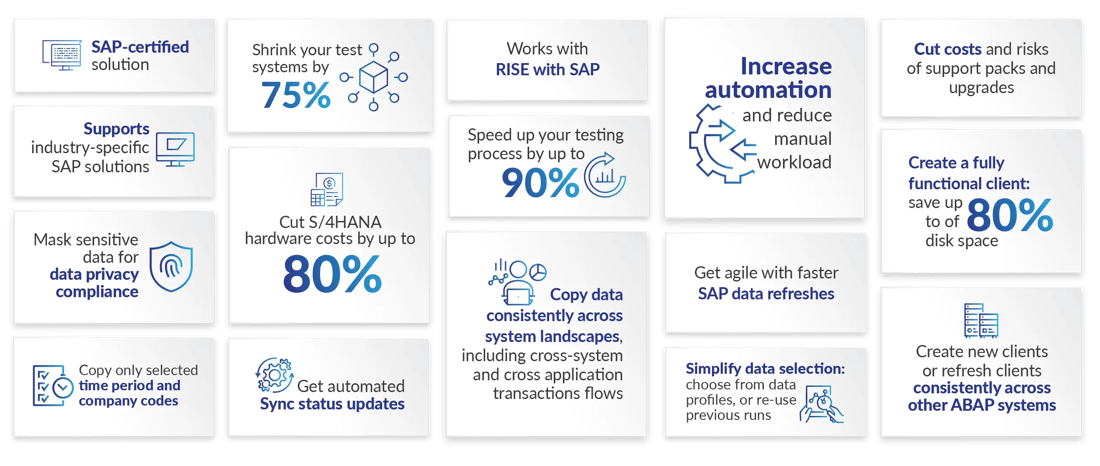
SAP-certified solution.Supports industry-specific SAP solutions.Mask sensitive data for data privacy compliance.Copy only selected time period and company codes.Shrink your test systems by 75%.Cut S/4HANA hardware costs by up to 80%.Get automated Sync status updates.Works with RISE with SAP.Speed up your testing process by up to 90%.Copy data consistently across system landscapes, including cross-system and cross application transactions flows.Increase automation and reduce manual workload.Get agile with faster SAP data refreshes.Simplify data selection: choose from data profiles, or re-use previous runs.Cut costs and risks of support packs and upgrades.Create a fully functional client: save up to of 80% disk space.Create new clients or refresh clients consistently across other ABAP systems


Why choose Client Sync? 

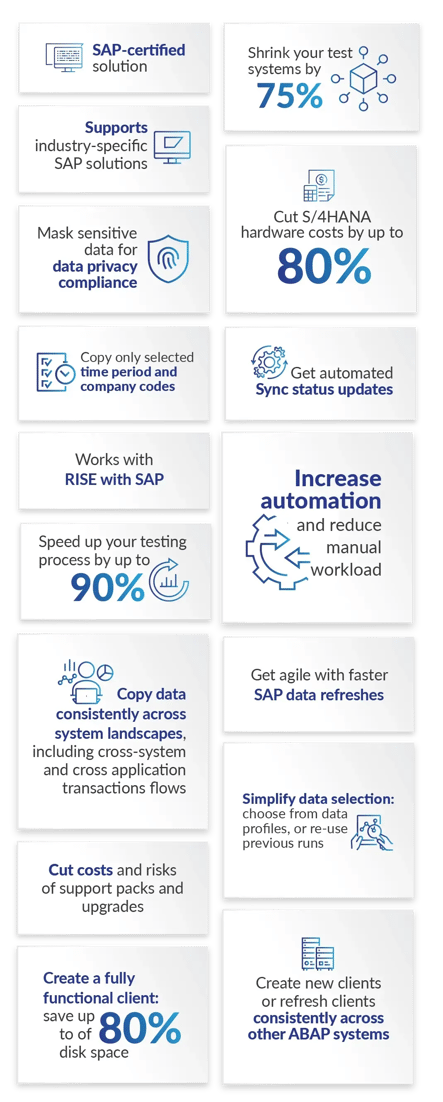
SAP-certified solution.Supports industry-specific SAP solutions.Mask sensitive data for data privacy compliance.Copy only selected time period and company codes.Shrink your test systems by 75%.Cut S/4HANA hardware costs by up to 80%.Get automated Sync status updates.Works with RISE with SAP.Speed up your testing process by up to 90%.Copy data consistently across system landscapes, including cross-system and cross application transactions flows.Increase automation and reduce manual workload.Get agile with faster SAP data refreshes.Simplify data selection: choose from data profiles, or re-use previous runs.Cut costs and risks of support packs and upgrades.Create a fully functional client: save up to of 80% disk space.Create new clients or refresh clients consistently across other ABAP systems


The effort we were previously spending on refreshing is time we couldn’t spend elsewhere. With Data Sync Manager Client Sync, the weeks we save can be spent on other projects.

Wim Bastiaansen, Information advisor, The Greenery

I use Data Sync Manager to do a client copy. The benefit of using a client copy is that it is now much faster and it requires none of the lengthy post-processing time. Instead of having to plan for weeks, I can create a copy and it is ready within a day or two.

Suzanne van Kalsbeek, Manager Business Apps, Sound United/Masimo Consumer

We mainly use DSM to refresh our non-production test systems. Kingfisher has very large Production systems, so this proves quite a challenge, and EPI-USE Labs enables us to reduce the data footprint in those systems. The big benefit is that we don't want all our Production data in our test systems; we can reduce it massively using EPI-USE Labs' Data Sync Manager, by time-slicing, which is typically the main way we do it. This saves us a huge amount on system size and performance.

Steve Thorn, Kingfisher

DSM has saved us a considerable amount of time as refreshes have improved from manual intervention with a lot of costly activity, to minimal activity.

Jeff Greiner - Director, Enterprise Applications Engineering at Siemens PLM Software

The most important part of the project was the ability to create different copies of the system for a specific purpose or project, which was not possible before. It opened up new procedures and methods for testing and development.

Karel Ročák, IT Director, HP TRONIC

I was surprised by how much the post-processing time was reduced… In fact, post-processing is eliminated by Data Sync Manager. It is very impressive!

Erik Bollens, SAP System Engineer, Agfa

DSM has given us a faster, more consistent test process, and allowed us to meet ad-hoc business requests quickly. It’s also reduced our data footprint and masked our sensitive data, which is a big bonus.

Tom Garreis, SAP Basis & Security Manager, A.O. Smith

Our IT team can now refresh our test data (both SAP and non-SAP) quickly, easily, consistently and independently. We can run a refresh project of 54 operating companies in over 30 SAP systems in just a few days. And importantly, all our sensitive data is consistently anonymous.

Manoranjan Mishra, Product Owner: Insights Enablement Portfolio, Heineken

To have the ability to copy accurate, time-sliced data is very powerful. It increases our confidence level in terms of our testing before we put the solution into the live environment.

Harsha Patel, Technology Solutions Manager, BT

testimonial-quote

Want to know more?

DSM-demo
Book your demo today

See Client Sync in action. Get a personalized demo from an expert so you can understand how Client Sync can help your company.  

DSM-assessment
Get your free assessment 

Can Client Sync help you save costs? Explore your SAP system size, footprint and more with our free DSM readiness report. 

DSM-FAQ
Explore question responses 

Have questions about Client Sync and how it would work for you? Take a look at what other clients are asking in these responses to FAQs.

Get in touch

Speed up your SAP client copying for improved testing