Play video
Use Shell Sync to align the repository of a non-production system with that of production. The repository and client independent data from the source is extracted. Then on the target leveraged to update the HANA database, replacing the existing content for the shell and simultaneously clearing down any client dependent data.
icon__Save_80__time
時間の80%を節約
icon__Accuracy_testing
検査精度の向上
icon__Save_disk_space
ディスク容量を大幅に節約
icon__Privacy_legislation
データプライバシー法の遵守

テストシステムの品質向上をご検討の方へ

サンドボックスやトレーニング環境の新規構築、あるいは本番・非本番間のリポジトリ再調整など、新たなシステム構築には多大な時間と工数が伴います。

System Builder

System Builder™ は、本番環境とまったく同じリポジトリを持つ新しい非本番システムを、本番環境クライアントなしで構築するためのソリューションです。

System Builderは、SAPクライアントが本番環境からテストシステムをリフレッシュするのを支援するために、10年以上にわたって市場に投入されてきました。

System Builderは、すべてのSAP R/3システムに対応するソリューションです。

Shell Sync

Shell Sync™は、S/4HANAの新しいリリース上のシステム向けのSystem Builderに相当します。

Shell Syncは、HANA固有の技術を使用して、既存のシステムを本番システムのエクスポートと整合させます。ソースシステムからリポジトリとクライアントに依存しないデータが独自のフォーマットに抽出され、ターゲットシステム上でHANAデータベースを更新するために活用され、シェルの既存のコンテンツが置き換えられ、同時にクライアントに依存するデータがクリアダウンされます。

System BuilderとShell SyncはData Sync Manager™ (DSM) Suiteの一部です。
DSMは「SAP S/4HANA®との統合」および「SAP S/4HANA Cloud®との統合」のためにSAPによって認定されています。

システムシェルの準備ができたら、同じくDSM Suiteの一部であるClient Sync™を使用して、クライアントに依存するデータをシステムに入力することができます。

Play video
What is a system shell? So we're going to start looking at what a shell is in order to understand what Shell Sync does. If we look at an SAP system, it'll look something like this. We have lots of transactional data sitting on top of some master data and client dependent customization. But if we strip that vast majority of data away, we end up with what we refer to as the shell. This is the repository and the client independent customizing. Now, the repository is the structure definitions and the programs that make up your SAP system. How do we create these shells? The first approach is SAP's standard system copy. We can do two approaches here. We can make use of the normal SAP system copy software or we can follow the approach of doing a database backup and restore. Now, when we do that, we end up with a mirror image of the production system in this case, and we need to actually go and delete the transactional data clients away in order to get the shell. The drawback here is overhead. We need equivalent storage space to Production in order to build this preproduction environment. In addition to that, clearing out that Production client also takes quite a bit of time and resources. So this is less ideal. Now before the S/4HANA world, we made use of System Builder to address this problem. So System Builder allows you to create shell systems, and those shell systems are installed using the SAP software provisioning manager. So, System Builder will create exports compatible with the SWPM installation process. Now, coming to S/4, this picture has changed somewhat. So SAP has actually narrowed their focus in on only using the HANA database, and along with that meant they no longer needed to support database agnostic technologies. And the idea is we have two existing systems and we're only going to refresh or replace that repository in place of the target environment. So you no longer have that overhead of installing a new system. You can replace it on one of your existing systems. As part of that process, we are going to remove all of your data clients, so you will end up with a proper shell. That shell, you can then populate with test data using similar approaches as before with Client Sync, with Data Secure for masking and so forth. Visually looking at it, this is what it's going to look like. So you already have a pre-production system. That pre-production system already contains a reduced client, and you just want to replace that with now a shell of your Production system. So with Shell Sync, this is what's going to happen. We take that existing system and replace it in place with the shell from the Production system. In summary, we often use shell systems when performing realignment actions to make sure we have the same programs and dictionary structures on our preproduction environment as on Production, in order to increase the quality of our testing. Before the S/4HANA world, we made use of System Builder to create our shell systems, and they were created using the installation process, creating new systems. After S/4, we now use Shell Sync, and this is an in-place realignment. So no more needs for new installations.

クリーンで新しいシステムシェル

System Builder(SAPの下位リリースに適用)またはShell Sync(S/4HANAに適用)のいずれを使用する場合でも、本番コピーで必要とされる完全なディスク容量なしでシェルをプロビジョニングする利点は明らかです。

System Builderエクスポートを使用して、クライアント000(新規クライアント用にSAPが提供する基本的なクライアント依存のカスタマイズを含む)、クライアント066(サポート用にSAPが使用)、およびオプションでクライアント001(クライアント000のカスタマイズコピー)を持つ、新しい非本番システムの「シェル」を作成します。SAP Software Provisioning Manager (SWPM) は、エクスポートから新しいシステムをインストールします。あるいは、S/4HANA上で、シェル同期独自のHANAデータベース技術を活用し、既存の非本番システムのリポジトリを本番システムに合わせ、同時に古いテスト/サンドボックスクライアントをクリアダウンします。

新しいシェルは本番システムと同期し、 Client Syncの完璧なターゲットシステムとなりますその後、オブジェクト同期を使用して 、目的(トレーニングやテストなど)に関連する特定のデータのみを追加することができます。その結果、同じリポジトリ、より小さなフットプリント、最新のデータを持つシステムができあがります。

System BuilderとShell Syncを選ぶ理由

System Builder

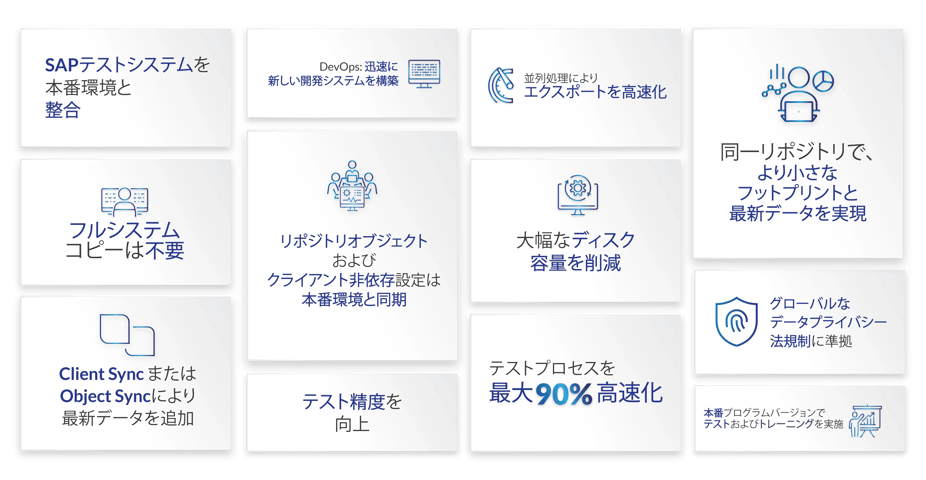
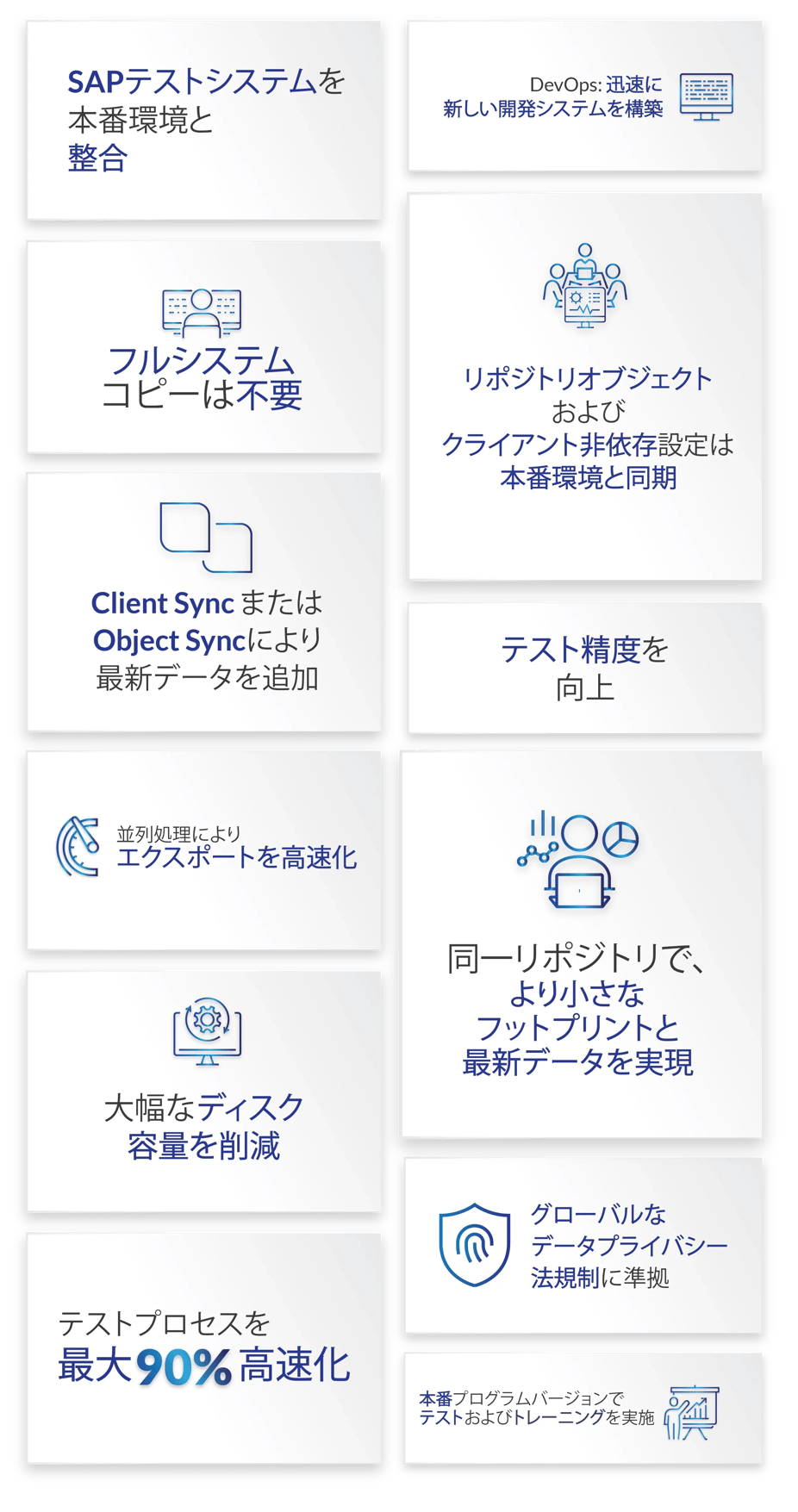
  • 完全コピーのわずかなディスク容量で、新しい SAP システムシェルを作成できます。
  • 必要に応じて、並列処理やテーブル分割のテクニックを使用してパフォーマンスを向上させながら、システムの完全なリポジトリを最小限の時間でエクスポートします。
  • クライアント000と066、オプションでクライアント001を含めます - これは、システムシェルが使用可能であることを意味します。
  • 新システムのリポジトリオブジェクトとクライアントに依存しない設定は、本番システムと同期しています。
  • クライアント同期またはオブジェクト同期で最新のデータを追加します。
  • 本番環境で使用されているプログラムバージョンでテストやトレーニングができます。

Shell Sync

  • 既存のテスト/サンドボックスシステムを使用しながら、本番環境からリポジトリを迅速に同期します。
  • アンインストールや完全なシステムコピーは必要ありません。
  • クライアント 000 は、他のすべてのクライアントがクリアダウンされた状態で残ります - これは、システムシェルが使用可能な状態であることを意味します。
  • リポジトリオブジェクトおよびクライアント非依存の設定は、本番環境と同期されています。
  • Client SyncまたはObject Syncで最新のデータを追加できます。
  • 本番環境で使用されているプログラムバージョンでテストやトレーニングができます。
SB_SS_infographic_JP_2026_vwebp-69


SB_SS_infographic_JP_2026_vwebp-70


私たちのシステムは大きいので、完全にコピーしてからクライアントを削除することはできませんでした。System Builderは、基本的なクライアントだけをコピーし、使用するディスク容量も少なくて済むので、新しい仕事を素早くこなしてくれました。これはいい方法だと。

Jason Prebble、Glencore

彼ら(Capita)は、非本番環境のストレージ・コストを劇的に削減することができ、クラウドに移行した際には、追加システムを迅速に立ち上げることができました。そして、Data Sync Manager System Builderを使って、プロビジョニング・プロセスをよりスムーズに、より合理的に行うことができました。

Gary Jackson、Alitar Consulting

プロセス全体が大幅に簡素化されました。これは、DSMがデータだけを転送するので、コピーシステムのようにベース全体を再作成する必要がなくなったためです。私たちはClient SyncとSystem Builderを使って、新しい開発環境を完全に作り直しました。

Eric Dupont、Rémy Cointreau 社情報システムアーキテクト

Data Sync Managerのおかげで、テストデータ管理の複雑なプロセスを自動化し、簡素化することができました。

Holger Bauer、シニアSAPコンサルタント、アプリケーションマネジメント、R+V Insurance

Data Sync Manager: Client SyncとSystem Builderは、洗練されたデータ選択メカニズムを備えたユーザーフレンドリーなツールです。これらに投資することで、私たちは膨大な時間とコストを節約することができました。

Jiří Krasilov、ČD - Informační Systémy SAPグループ代表

Data Sync Managerを導入したおかげで、はるかに効率的になりました。データコピーの高速化、機密データの保護、スペースの節約など、まさに私たちが必要としていたものです。

大手保険会社 SAPソリューション・マネージャー

Heinekenでは、Data Sync Managerに本当に感心しています。包括的なソリューションであることが証明されました。

Manoranjan Mishra、 プロダクトオーナー:インサイト・イネーブルメント・ポートフォリオ、Heineken

私たちにとって重要な要素の一つは、EPI-USE Labsのチームが、ランドスケープの調整とプロジェクト管理レベルの両方で柔軟性を提供してくれたことです。Dunelmにはそのためのリソースがありませんでした。私たちは、技術的なマインドセットだけでなく、プロジェクト管理のマインドセットも備えたパートナーを必要としていました。

Steve Ross、SAPテクニカル・サービス・マネージャー、Dunelm

DSMのおかげで、リフレッシュの時間が大幅に短縮され、コストのかかる手作業から最小限の作業で済むようになりました。

Jeff Greiner、エンタープライズ・アプリケーション・エンジニアリング・ディレクター、Siemens PLM Software

DSMのおかげで、より迅速で一貫性のあるテストプロセスが実現し、アドホックビジネス要求にも迅速に対応できるようになりました。また、データフットプリントを削減し、機密データをマスクできるようになりました。

Tom Garreis、SAPベーシス&セキュリティマネージャー、A.O.Smith

証言-引用

詳しく知りたい方へ

DSM-demo
デモのご予約

System Builder/Shell Syncを実際にご覧ください。専門家による個別デモで、貴社にどのように役立つかをご理解ください。

DSM-assessment
無償診断を受ける

System Builder/Shell Sync はコスト削減に役立ちますか?無償の DSM 準備レポートを使って、SAP システムのサイズ、フットプリントなどを調べてください。

DSM-FAQ
質問の回答を調べる

System Builder/Shell Sync について質問がありますか?FAQ への回答で、他のお客様がどのような質問をしているかをご覧ください。

連絡先

正確なテストのために、SAPテストシステムを本番環境に合わせる